Google Play Books & Audiobooks
- 4.7
- Rating
- 1.00B
- Installs
- Free
- Price

 Analysis by App-foxy
I have always liked the idea of carrying a small library without carrying a physical one, and Google Play Books & Audiobooks makes that idea feel practical rather than complicated. It is a free Books & Reference app from Google LLC, built for reading digital books and listening to audiobooks on an Android or iOS device. After using it as both a casual reader and a way to keep several titles organized, I found its biggest strength is flexibility: you can read when you have the attention for it and listen when your hands are busy.
The app has a mature feel that comes from being available since December 6, 2010. It is not trying to be a social network, a writing tool, or a general-purpose bookstore replacement for every possible need. Its focus is narrower and more useful: keeping purchased or added books in one place, opening them quickly, and making the transition between page and audio reasonably straightforward. That focus is also why I think it suits people who want a familiar reading shelf rather than a highly specialized reading environment.
How Google Play Books feels in everyday use
The first thing I noticed is that the experience is easy to understand. Your library is the starting point, and the app does not make you learn an elaborate system before opening a book. That matters when I am reading in short sessions, such as during a commute or while waiting for an appointment. I can return to the title I was using instead of spending time deciding where to begin.
In-Depth Coverage of Google Play Books & Audiobooks
For a free app in the Books & Reference category, it covers two different habits particularly well. Some days I want the concentration of text on a page; on others, an audiobook is more realistic. The ability to keep both kinds of content within the same general library is more useful than it sounds. I do not have to maintain one app for reading and another for listening simply because my schedule changes.
The store summary describes books being available on the page or out loud, and that matches the central appeal I experienced. Still, I would not treat the app as a complete substitute for every dedicated reading service. People who care deeply about advanced annotation, academic references, unusual ebook formats, or a very specialized audiobook workflow may find a purpose-built alternative more comfortable.
Speed expectations when opening books and audio
In normal use, the app feels designed for quick access rather than elaborate preparation. Opening the library, selecting a title, and returning to a recent book are the kinds of actions that should feel direct on a reasonably capable device. I would not choose it expecting a dramatic, stripped-down interface like a simple local file reader, but the general flow is familiar enough that it does not create much friction.
Perceived speed depends heavily on what I am doing. A text book is usually a lighter task than moving through a long audiobook collection or handling a large library. Browsing cover art, switching between sections, and starting audio can make the experience feel busier than simply turning pages. That is not necessarily a flaw in the app; it is a reminder that a digital bookstore and media shelf has more work to do than a single-purpose reader.
One practical habit helps: I keep my active reading list small. Instead of treating the library as a place to leave every title I might someday open, I use it as a working shelf and remove visual clutter when possible. This makes it easier to spot the book I actually want and reduces the sense that the app is searching through an oversized archive every time I open it.
What happens during heavier reading and listening sessions
Long sessions reveal more than a quick launch. When I read for an extended period, the important performance question is not only whether the first page appears quickly, but whether navigation remains predictable. Moving between chapters, leaving the app briefly, and returning later are the moments I pay attention to. A reader should not have to reconstruct its position after every interruption.
Audiobooks create a different kind of workload. Listening while walking, cooking, or commuting means the app has to remain dependable while attention is elsewhere. I consider a playback app successful when I can begin a chapter, pause it, return later, and understand where I left off without hesitation. That is more valuable than a flashy interface because an audio session often happens when I cannot look at the screen.
Heavy use can also expose the difference between a stable app and a device that is running low on resources. If many apps are active, storage is nearly full, or the operating system is aggressively limiting background activity, any reading or audio app may behave less smoothly. I would not blame Google Play Books automatically in that situation. My first troubleshooting step would be to close unnecessary apps, check available storage, and reopen the title before assuming the library itself is damaged.
A useful workflow for frequent listeners is to decide where audio fits before starting. If I know I will be offline or in an area with unreliable connectivity, I prepare the title while I still have a dependable connection rather than waiting until the moment I need it. This is a small change, but it prevents the most frustrating kind of delay: discovering that a book is not ready when the journey has already begun.
Stability, interruptions, and recovering your place
For me, reliability in a reading app is mostly about continuity. I want the book to remain associated with my library, the reading position to feel consistent, and audio to resume in a sensible place after an interruption. Google Play Books benefits from being a long-established Google product, and its broad adoption gives it the feel of a mainstream choice rather than an experimental reader. It has a 4.7 average from around 3.1 million ratings, which also suggests that many users find the overall experience dependable.
You May Also Like

 AccuWeather: Weather Radar
AccuWeather Review: A Quick, Clear Forecast for Everyday Decisions
For everyday plans, the best forecast is the one you can understand quickly. AccuWeather makes rain timing, radar, and local conditions easy to act on, with a few trade-offs.

 Hill Climb Racing
Why Hill Climb Racing Still Turns Crashes Into One More Run
A tiny car, a bumpy hill and one more upgrade: Hill Climb Racing keeps resurfacing because its simple chaos makes every near-miss feel personal.

 AliExpress - Shopping App
AliExpress Makes Global Shopping Feel Personal, but Shoppers Bear the Risk
AliExpress turns a global marketplace into a pocket-sized discovery engine. Its reach is useful, its shopping loop compelling, and its trade-offs easy to miss.

 Lords Mobile: Kingdom Wars
Lords Mobile Is a Kingdom-Building Routine, Not a Quick Match
A case-by-case verdict on the building, battles, device demands, and social commitments that make Lords Mobile rewarding for some players and exhausting for others.

 PDF Scanner app - TapScanner
TapScanner Makes Paperwork Easier to Capture, Check, and Share
TapScanner makes scanning with a phone feel less like a rescue operation and more like a dependable step in getting work done. Its capture tools are useful, though not flawless.

 Block Blast!
Block Blast! Shows How Much a Puzzle Game Can Leave Out
A quiet grid game shows why puzzle players increasingly value instant clarity, repeatable skill and low-pressure play—and where the genre still needs to catch up.
More From Our News Desk
View All News


That popularity should not be confused with perfection. A large library can become harder to manage than a carefully curated shelf, and switching between reading and listening may require more attention than it would in a dedicated audiobook app. I also prefer not to rely on one app as the only copy of an important book or study resource. For valuable material, I keep my own notes separately so that a change of device or an unexpected interruption does not erase the work I have done around the book.
When something does go wrong, I use a simple recovery routine. I first return to the library instead of repeatedly tapping the same control. Then I reopen the title and check whether the position is correct. If the issue seems connected to a temporary connection problem, I wait until the connection is stable before trying again. This approach is less dramatic than immediately reinstalling the app and gives me a better chance of preserving the current reading context.
The app is also a sensible choice for people who move between devices within the same ecosystem of services. The main benefit is not merely having a book on a phone; it is having a recognizable library rather than starting from zero each time. Still, I would verify that a particular title is available in the format I want before building a reading plan around it. A book that works beautifully as text may not be equally useful to someone who specifically needs audio.
Battery, storage, and device constraints
Reading text is generally a modest activity compared with video, but audiobooks introduce continuous playback and may keep the device active for longer periods. I would not describe Google Play Books as an especially demanding app based on ordinary reading, yet extended listening can still matter on an older phone or a device with a tired battery. If I am leaving home for several hours, I charge first and avoid running many unrelated apps at the same time.
Storage is another practical concern. A library containing books and audio can grow quietly, especially when I keep titles available for travel. I prefer to review what I have prepared before a trip instead of downloading everything automatically. This gives me more control over space and makes the library easier to navigate. It also reduces the chance that a nearly full device will cause trouble for unrelated tasks such as taking photos or installing system updates.
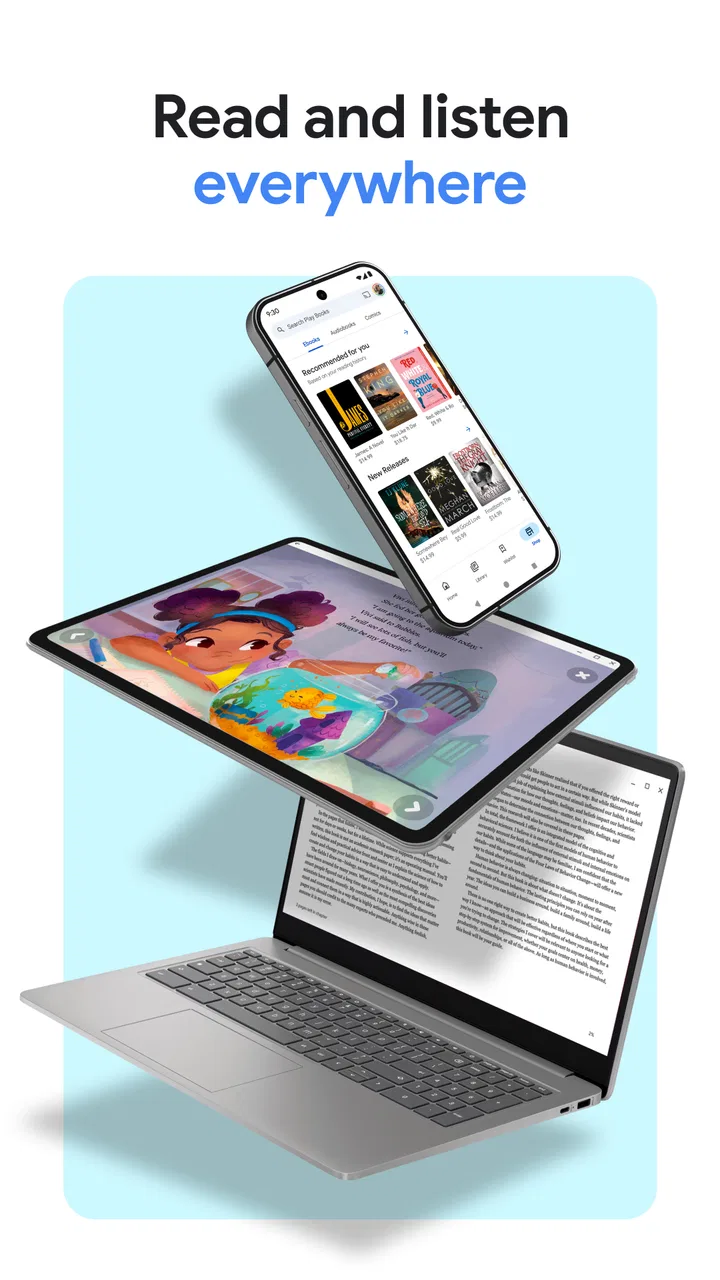
Screen size changes the experience more than I expected. On a phone, the app is convenient for short reading sessions and private listening, but long text can feel cramped if I increase the font size. A tablet is better for sustained reading because more of the page is visible and navigation feels less interrupted. On the other hand, someone who wants a distraction-free reading device may prefer a dedicated ebook reader with an e-ink screen and fewer competing notifications.
This is where the app’s broad compatibility is both helpful and limiting. It is convenient to use a device I already own, but that convenience means I am still reading on a multipurpose screen. If eye comfort, physical buttons, or a paper-like display are priorities, a dedicated reader may be the better investment. Google Play Books is strongest when convenience matters more than building a completely separate reading setup.
Who benefits most from the combined reading and audio approach
I would recommend it to someone who reads in changing circumstances. A student might read a reference book at home, listen to another title while traveling, and keep both within one familiar library. A parent could use audio during chores and return to text later. A casual reader who does not want to compare several specialized apps may appreciate having a straightforward starting point from Google.
It is also useful for people who want to test a flexible routine without paying an upfront app fee. The app itself is free, though individual in-app items range from a very small amount to as much as $8,000 per item. That wide range is a reason to pay attention at the point of purchase, particularly if a child uses the device or if several people share an account. The free download does not mean every book or audiobook is included without charge.
The Teen content rating is worth considering for families. It does not mean every title is appropriate for every teenager, because the library can contain books with very different themes. I would still look at the specific title before handing the device to a younger reader. The rating describes the app’s general content context, not a personal recommendation for every book inside it.
I would suggest skipping it if your main goal is intensive academic annotation, a large collection of independent files in many formats, or a highly specialized audiobook player. In those situations, a dedicated tool may offer better control. I would also skip it if I want a completely distraction-free device and already own an excellent ebook reader. The strength here is convenience across reading and listening, not maximum depth in one narrow task.
How it compares with familiar alternatives
Compared with a physical bookshelf, the obvious advantage is portability and instant access. I can carry many titles without adding weight, and audio gives me a way to continue a book when reading is impossible. The trade-off is that digital ownership and access feel less tangible, and the experience depends on a device, its battery, and the way the library is organized.
Compared with a dedicated ebook reader, Google Play Books is more flexible because it lives on a phone or tablet I already use. A dedicated reader usually wins for long, uninterrupted text sessions, especially for people who dislike notifications or bright screens. I prefer Google Play Books when I want one device for occasional reading and listening, but I would choose dedicated hardware for a daily reading habit measured in hours.
Compared with a focused audiobook app, this one is attractive when I want text and audio in the same general place. A specialist may feel better for listeners who constantly manage playlists, speed settings, narration preferences, or a large audio-first collection. My choice depends on whether audiobooks are my main activity or simply one of several ways I consume books. For mixed use, Google Play Books is easier to justify.
Compared with a generic document reader, it offers a more book-centered experience. A document viewer can be excellent for manuals and personal files, but it often feels less natural for maintaining a reading shelf. Google’s app makes more sense when I want books to remain the center of the experience rather than treating every file as an interchangeable document.
Small habits that make the app work better
I find three habits especially useful. First, I decide whether a title is for close reading or background listening before I start it. That prevents me from choosing the wrong format for the situation. Second, I prepare for travel early, while the connection is reliable, rather than treating offline access as something to solve at the station or airport. Third, I keep notes outside the app when the material matters, because my notes then remain useful even if I later change devices or reading tools.
I also avoid filling the library with impulse purchases that I do not expect to open soon. A smaller shelf makes the app feel faster because I spend less time searching visually, even when the underlying performance has not changed. For a family device, I would review purchase settings and the Teen rating together, since the price of an individual item and the suitability of its content are separate questions.
One overlooked advantage is the ability to match the app to the rhythm of a day. I can read a few pages when I have quiet time, then continue with audio while doing something else. That does not make every book suitable for both formats, and I would not force a complex text into audio just for convenience. But for novels, biographies, and other books that support relaxed listening, this flexibility can turn small unused moments into genuine reading time.
My performance verdict after regular use
Google Play Books & Audiobooks is a dependable general-purpose choice for people who want books and audiobooks together without building a complicated setup. Its perceived speed is best when the library is kept tidy and the device has reasonable free resources. Text reading is the lighter use case; extended audio and large collections place more pressure on battery, storage, and organization. Those are practical limits, not reasons to dismiss the app.
Its strongest quality is recovery from an interrupted lifestyle. I can move from page to audio, pause a session, return later, and keep the same broad library available. Its weakest area is specialization: serious annotators, audio enthusiasts, and dedicated e-reader owners may want tools designed around their exact priorities instead.
With over one billion installs, it is clearly a mainstream app rather than a niche experiment. I think that makes it a sensible first choice for a friend who wants a free way to organize digital reading and listening, provided that friend understands that books and audiobooks may involve separate purchases. My recommendation is to start with a small, realistic library and judge it by your actual reading routine, not by how many titles you can collect.
In the end, Google Play Books & Audiobooks works best as a flexible companion for everyday reading. It does not replace every specialized alternative, but it handles the common case well: a person with a phone or tablet who wants to read now, listen later, and return to a familiar shelf without unnecessary effort.
FAQs for Google Play Books & Audiobooks
01What types of content are available on Google Play Books & Audiobooks?
Google Play Books & Audiobooks offers a wide range of digital reading materials including eBooks, audiobooks, textbooks, and comics. Users can explore numerous genres such as fiction, non-fiction, mystery, romance, and more. The platform provides an extensive library to suit diverse reading preferences and interests.
02Can I read or listen to books offline?
Yes, you can read or listen to books offline on Google Play Books & Audiobooks. Simply download your desired eBooks or audiobooks onto your device while connected to the internet. This feature allows you to enjoy your favorite titles even when you’re away from a Wi-Fi connection or cellular data.
03Is there a subscription service available?
Google Play Books & Audiobooks does not currently offer a subscription service. Instead, users purchase individual titles. This pay-per-book model allows you to own the eBooks and audiobooks you buy, making it easy to build a personal library tailored to your reading preferences.
04Are there personalized recommendations available?
Yes, Google Play Books & Audiobooks provides personalized recommendations based on your reading history and interests. The app analyzes your previous purchases and preferences to suggest new titles you might enjoy, helping you discover books and audiobooks tailored specifically to your taste.
05How can I adjust the reading or listening experience?
The app allows you to customize your reading and listening experience. For eBooks, you can adjust font size, style, and background color. Audiobook listeners can change playback speed, set sleep timers, and bookmark sections. These features ensure a comfortable and personalized experience for every user.
Pros
- Wide range of genres available.
- Syncs across multiple devices.
- Supports offline reading mode.
- Offers personalized recommendations.
- User-friendly interface design.
Cons
- Limited free book selection.
- Requires Google account to use.
- Some titles are expensive.
- Audiobooks require constant internet.
- Occasional app crashes reported.

Google Play Books & Audiobooks
Gallery